

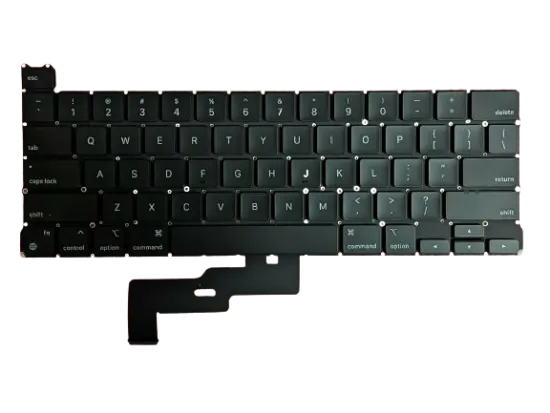
Keys that stick, repeat, or stop working; a keyboard that died after a spill; a backlight that went dark. We replace MacBook Pro keyboards at our Midtown store and tell you the price for your model after the diagnostic.
Why MacBook Pro keyboards fail
- Butterfly keyboards (2016–2019 models): dust under the very thin keys makes them stick or type twice.
- Spills: liquid under the keys corrodes the keyboard and can reach the board.
- Wear: a key cap or clip breaks, or a key stops registering.
Keyboard or top case?
On most MacBook Pro models the keyboard is riveted to the top case, the aluminium part around it. Depending on the model and the damage, we replace the keyboard itself or the whole top case. We tell you which one your MacBook needs, and the price, before we start.
Before the repair
Test with an external keyboard: if it works, the problem is the keyboard, not the board. If you spilled on the Mac, turn it off and bring it in; that is a water damage repair first.
Other MacBook and Mac repairs
Visit our Midtown store
347 Fifth Ave, Suite 1502 (15th floor), New York, NY 10016. Mon–Fri 10:00am–6:45pm, Sat 12:00pm–6:00pm, closed on Sunday. Walk-ins are welcome during opening hours; booking a time helps us plan your visit. Call 929-810-1155, see our contact page, or use our mail-in repair service.


